 Yono
YonoUpdated 24 October 2026.
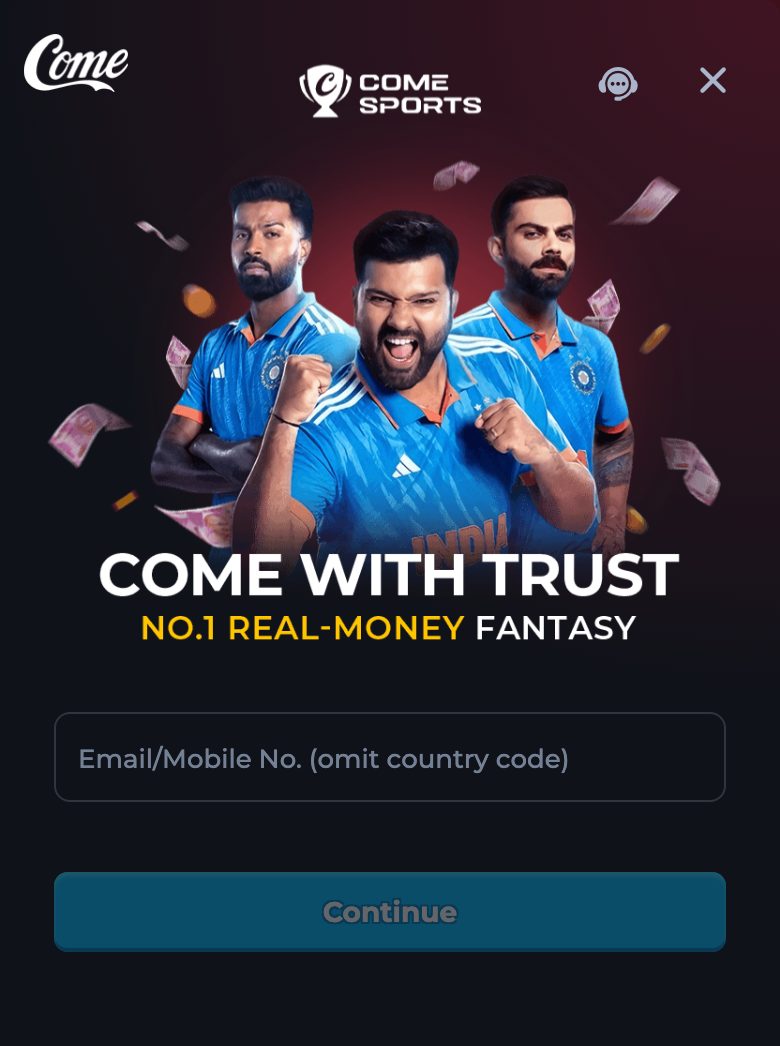
On the channel opened from Play, login starts with one field: “Email/Mobile No. (omit country code)”. If there is no account yet, the screen says one is created after verification. The next screen is either a code or a password, depending on the method you pick.
When this applies
Use this guide when the channel tab is already open and you are looking at Log In. It also applies when Continue seems to do nothing, when the code does not arrive, or when the screen says you cannot log in temporarily. It applies to the browser. The installed app uses a narrower field, mobile only, and that difference is on the app login guide.
Skip this page if you are still deciding which link to trust. That decision is the entry guide. Skip it if someone is asking you to read a code aloud. That warning is the code guide on the app site, and the short version is here as well: the code stays on your screen.
Before you type
Confirm the tab is the one Play opened. The address should still carry seo_channel=seoLL2. A login form on any other host is outside this guide. Have the email or the mobile number you intend to use. Take the country code off the number. A number saved as +91 followed by digits is entered as the digits only.
This website cannot send the code and cannot reset the password. Both of those happen on the channel. Have the device that receives SMS or email nearby if you plan to use Code Login. If you already set a password, Password Login is the other path, and Forgot password? leads to a screen titled Re-enter password.
Do this
- Tap the field labelled Email/Mobile No. (omit country code).
- Type the email, or the mobile digits without a country code and without spaces.
- Read the line that says an account is created after verification if you do not have one. That is expected on a first visit.
- Press Continue.
- If you are offered Code Login, choose it when you want a verification code sent to the recipient you typed. The screen title becomes Enter Verification Code, and a line says the code has been sent to that recipient.
- Type the code into the field labelled Verification code. If it does not arrive, use “Didn't receive the verification code?” rather than asking a person to send you one.
- If you are offered Password Login, type the password you set before. Forgot password? opens Re-enter password. The hint on that form asks for letters, numbers, and punctuation, 6–30 characters.
- Wait for the channel navigation. Features, Casino, Fantasy, and Rummy are the labels that show you are past the form.
What the screen shows
Around the form you can also see “Log in using another method”, “Enter password”, and a line that names the account whose password is required. While the request is in flight the label Logging in can appear. Complete Information is a later prompt if the channel still needs something after the code. None of these lines asks for a UPI PIN, a card number, or a banking password.
A hard stop uses the sentence about too many failed login attempts: try again in one hour, or contact Customer Service. A separate title, Cannot Login Temporarily, means the same kind of pause. Customer Service is a label inside the channel. This preview does not print a phone number or an email for it.
Code, password, and a reset
| Control | What you type | What comes next |
|---|---|---|
| Code Login | The verification code sent to your email or mobile | Enter Verification Code, then the channel |
| Password Login | The password already on the account | The channel, or Forgot password? |
| Re-enter password | A new password, 6–30 characters | The success line Password reset successful |
| Continue with no account | Email or mobile, country code omitted | The screen creates the account after verification |
After it works
You should see the channel, not the form. Open Casino, Fantasy, or Rummy only if that was the job. If the job was to confirm that this is the right product, you can stop at the navigation and read the game directory before you deposit anything. Deposit is its own label. These pages do not describe a minimum or a clock.
If you also want the Android file, return to this preview and use Download. Logging in on the website does not install yono.apk. The app, once installed, still asks you to log in, and on that build the email path is closed. Read the app login guide before you assume the same field will be there.
If it stops
Continue with an empty field does nothing useful. Continue with a country code still attached often fails the same way. Remove +91 and the spaces, then try again. If the code never arrives, use the resend line on the verification screen and check that you typed the number you actually hold. Do not switch to a page someone messages you in the meantime.
If the attempt counter locks you out, stop for the hour the screen names. Repeating the form will not shorten that hour. If the lock mentions Customer Service, open Help or Contact Us inside this same channel after you are able to, or ask from a session that is still logged in on another device you control. Do not hand the code to anyone who calls and claims to be that desk. This guide publishes no number they could be calling from.
What this page will not tell you
It will not recover an account by emailing this website, because this website has no mailbox. It will not confirm that a particular bonus is waiting after login. It will not print the package name of the app. If the browser form and the app form disagree, trust the label on the screen you are actually looking at, and use the website-or-app guide to see which label belongs where.
Questions
Do I include +91?
Leave it out. The label says omit the country code. Type the mobile digits that follow it, or type an email.
I have no account. Do I register somewhere else?
No. The login screen says an account is created after verification. Stay on that form.
The app will not take my email. Is login broken?
On the installed build, registration with e-mail is not currently supported. Use the mobile field there. The browser form still lists email and mobile.
Someone phoned me for the code. Is that Customer Service?
This guide has no phone number. The code is typed only into Enter Verification Code on the channel you opened with Play.
What password length does the reset form ask for?
The Re-enter password hint says any combination of letters, numbers, and punctuation, 6–30 characters.