 Yono
YonoUpdated 24 October 2026.
Website or app
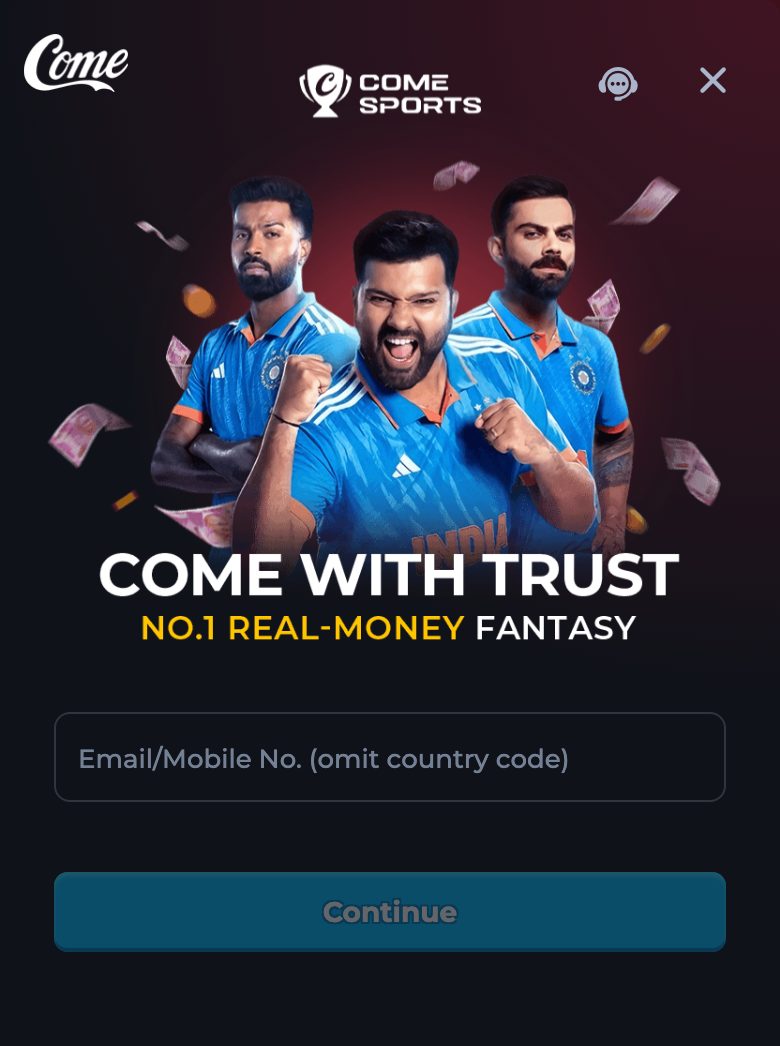

Use the website when you want the channel in a browser tab. Use the app when you want the Android install. Both are this product. They are not the same button, and the login form is not worded the same way on both.
When you are choosing
Choose the website if you are on a desktop, on a browser that you already trust, or on a phone where you only want to look at the login screen before you install anything. Press Play. The channel opens in a new tab. Nothing is saved to the app drawer.
Choose the app if you want an icon on Android. Press Download, wait for all 2,569,509 bytes, and install the file named yono.apk. The version name to expect afterwards is 1.0.1. There is no iPhone build of that file. The iPhone note on the app site says what to do on an iPhone: use Play in the browser.
What each button actually does
Play is an address. It does not contain the apk. A person who bookmarks Play has bookmarked the channel, which is what they want for a browser visit, and they have not saved the file. Download is a file response from the app preview. Saving that response is the install. Opening the file does not, by itself, show the lobby. You still log in.
The channel page has a Download banner of its own. That banner is a third control, and these guides do not describe its file. If the choice in front of you is “the copy we measured”, ignore the banner and use Download here. If the choice is “I just want the lobby”, ignore both downloads and use Play.
The login form is wider on the website
In the browser the first label is “Email/Mobile No. (omit country code)”. You may type an email or a mobile number. The screen says that a missing account is created after verification. Code Login and Password Login both exist, and Forgot password? opens Re-enter password.
Inside the installed app the strings are narrower. “Registration with e-mail is not currently supported.” The field is “Mobile No. (omit country code)”. A second line says email registration is not currently supported and asks you to use your mobile number. Plan on the mobile number if the icon you opened is the app. The steps for that form are on the app login guide. The browser steps are on the account login guide.
A clean choice
- Decide whether you need a browser tab or an Android icon.
- For a tab, press Play and check the new address still has seo_channel=seoLL2.
- For an icon, press Download and complete 2,569,509 bytes before you open the installer.
- On the website, sign in with email or mobile, country code omitted.
- In the app, sign in with mobile only. Leave email for the browser.
- Type the verification code only into the channel or the app. Do not read it out to a caller.
- If you later want the other door, you do not need a different account story from this guide. The channel is the same product. Use the field the screen in front of you actually shows.
What you should see if you chose well
On the website, past the form, the navigation labels include Features, Casino, Fantasy, Rummy, Refer & Earn, VIP, Promotions, and Deposit. On the app, the same labels are the sign that the shell has opened the channel. The game guide walks those labels. Neither door prints a welcome amount on these pages.
On the system app screen, a finished install shows the label Yono and the version name 1.0.1. If it shows a bank name, you opened SBI YONO, which is a different product. Go back to Download and check the size before you install again over the top of anything. This file will not replace a different signature anyway.
Website beside the app
| Website, via Play | App, via Download | |
|---|---|---|
| Opens | The channel in a new browser tab | An Android installer for yono.apk |
| File saved | None from Play | 2,569,509 bytes, version name 1.0.1 |
| First login field | Email/Mobile No. (omit country code) | Mobile No. (omit country code) |
| Email signup | The browser field accepts an email | The app says email registration is not currently supported |
| iPhone | Play still opens in the phone browser | No iPhone build is on this preview |
| Banner inside the channel | Leave it if you want the measured file | Leave it if you want the measured file |
After you have used one
You can use the other later. A browser session does not block the install, and the install does not close the browser tab. Keep the verification code on the device that asked for it. If both a website session and the app are logged in, the history screens are still the channel’s screens: Transaction History, Sports Record, and game history with Casino, Rummy, and Sports.
Pick the game guide when the door question is finished. Pick the file guide if you are unsure the icon is the measured one. Pick the entry guide if a third link has appeared in chat since you started.
If one door stops
A website tab that never opens is usually a blocked pop-up. Allow it, or paste the Play address yourself. An install that stops is an Android question: size, unknown sources, or a signature conflict. Those steps are on the app site, not a reason to fetch a random file. The website still works through Play while the install is stuck.
An email rejected by the app is not a broken account. Use the mobile number on that screen, or return to the browser and use the email field there. Do not create a second story about a lost bonus. These pages never listed one.
What this comparison leaves out
It does not claim the website is faster, richer, or more complete than the app. It does not list games the channel strings did not name. It does not give the channel banner a version name. The only version name in the comparison is 1.0.1, and it belongs to the file from Download.
Questions
Can I play in the browser and skip the install?
Yes. Press Play. That is the website door. No apk is saved.
Can the app sign up with email?
The app says registration with e-mail is not currently supported. Use a mobile number there, or use the browser field, which accepts email or mobile.
Does installing log me in?
No. The installer places the label Yono on the phone. You still complete login inside the app.
Is the in-channel Download banner a third version?
These pages do not measure that banner. They measure only yono.apk at version name 1.0.1.
I am on an iPhone. Which door is real?
Play, in the phone’s browser. This preview has no iPhone build.